Apps · Built for one person
Back to My Claude: start work from the couch.
I write a lot of software with Claude Code, an AI coding tool that runs in a terminal on my Mac. It has a feature called Remote Control that lets me drive a running session from the Claude app on my phone. The catch: a session has to be started at the Mac, and when Claude Code restarts, every remote session dies with it. So a new idea at 10 pm meant walking to the desk.
Back to My Claude fixes exactly that and nothing more. One tap on my iPhone starts a session on my Mac with Remote Control already on, and about two seconds later there is a link to open it in Claude. It was never going anywhere near the App Store: it is built for one phone and the two Macs that phone moves between. It is also the best example I have of what I mean when I say an app doesn't need a store.
What it does
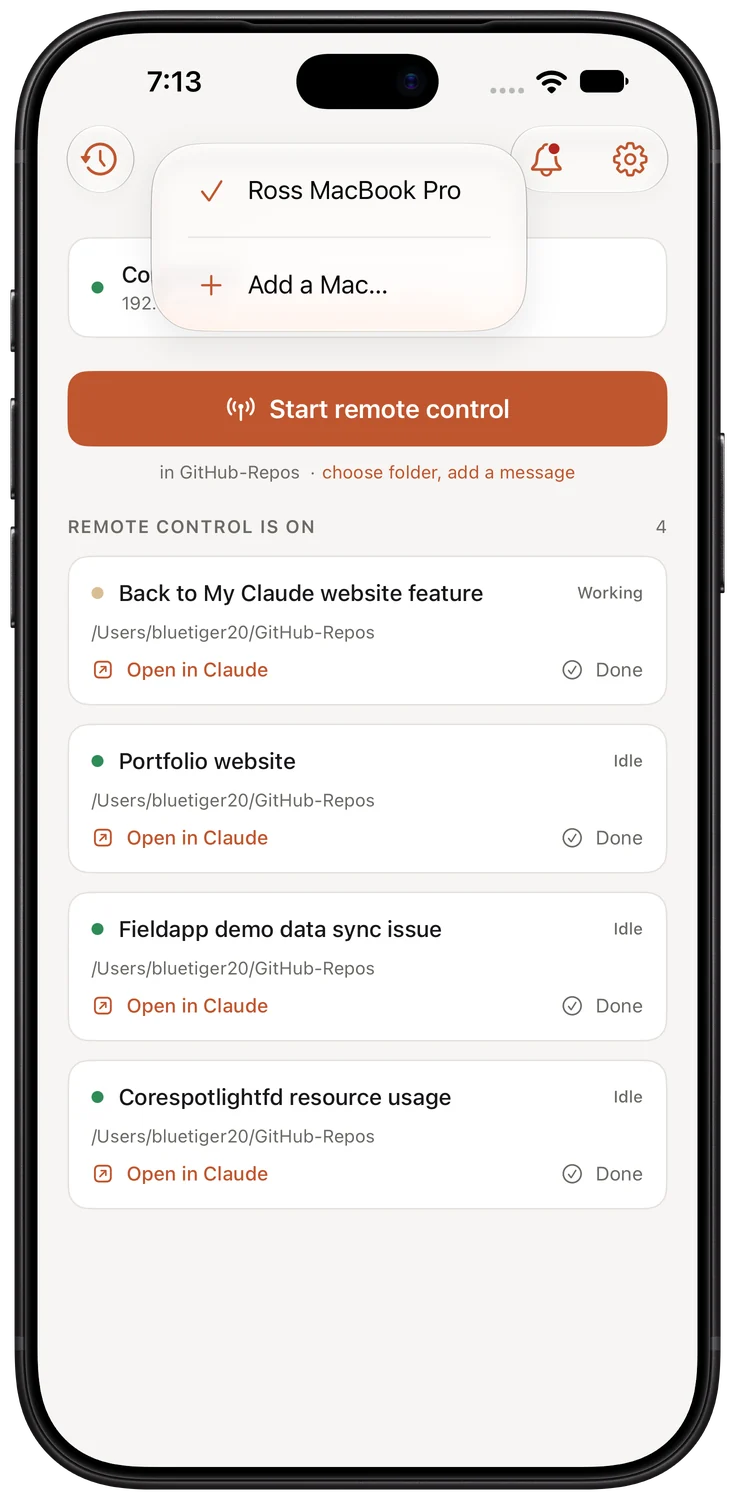
One tap, nothing to answer.
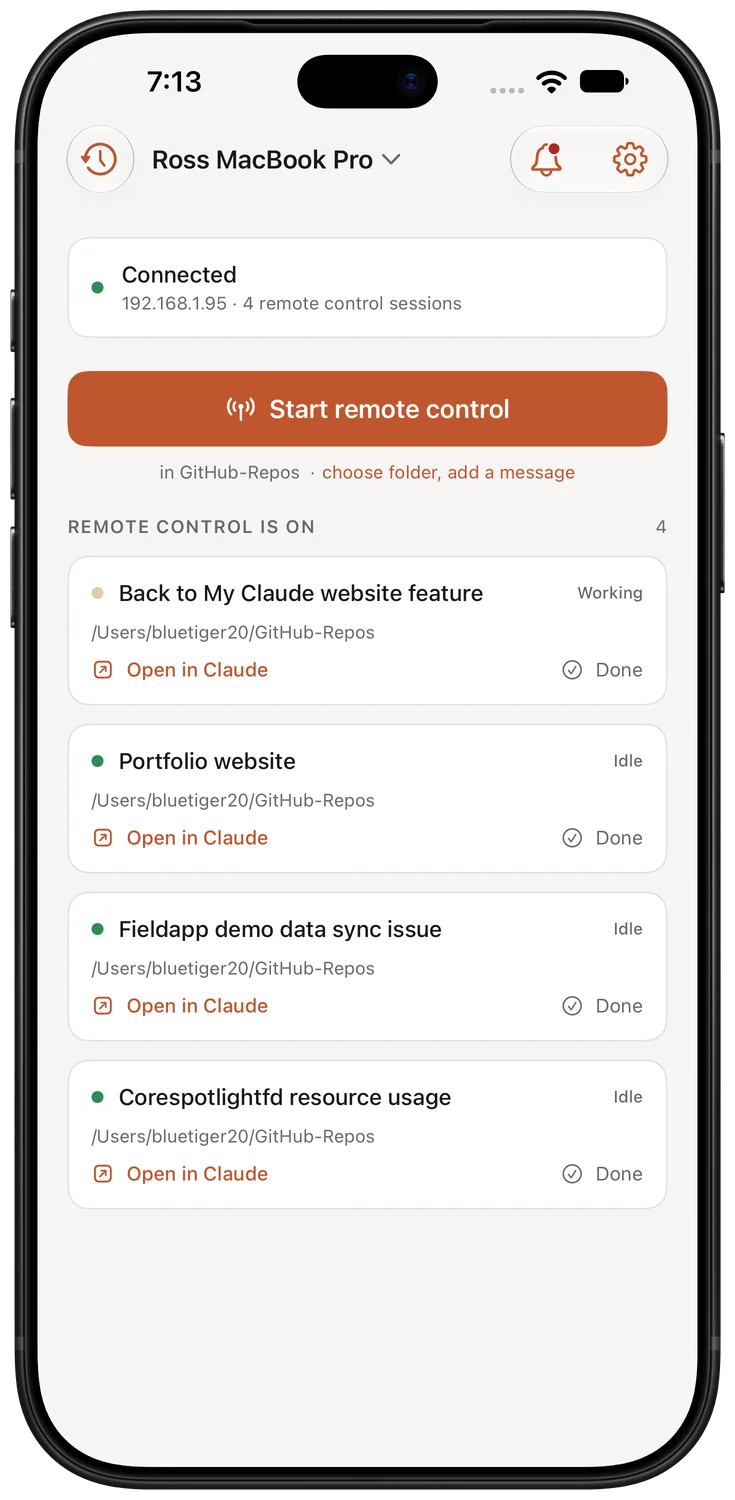
The first version had a folder picker, a name field and a message box on the front screen. Then I noticed every session I ever started was in the same folder, so the button now does one thing and the rest lives behind a second line for the rare case.
Start, then open
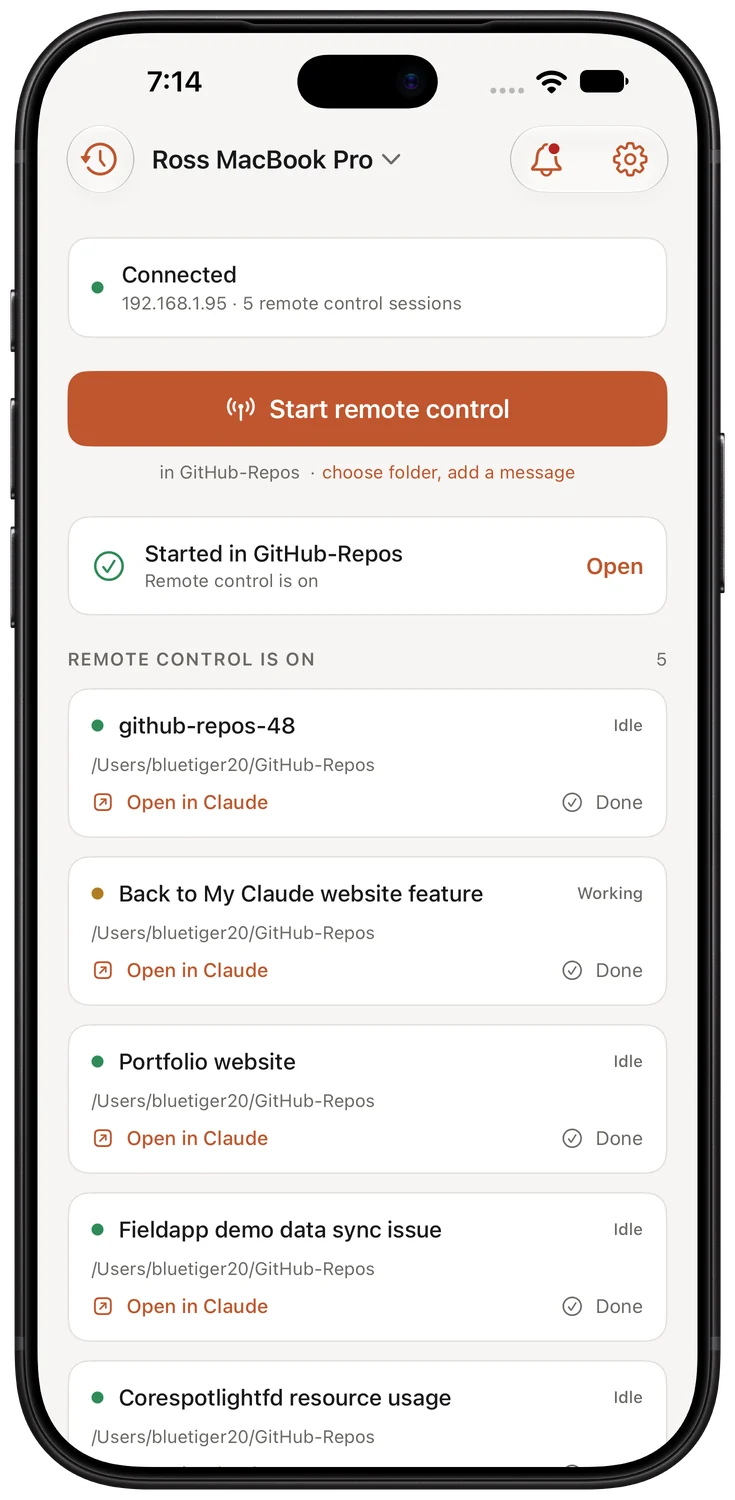
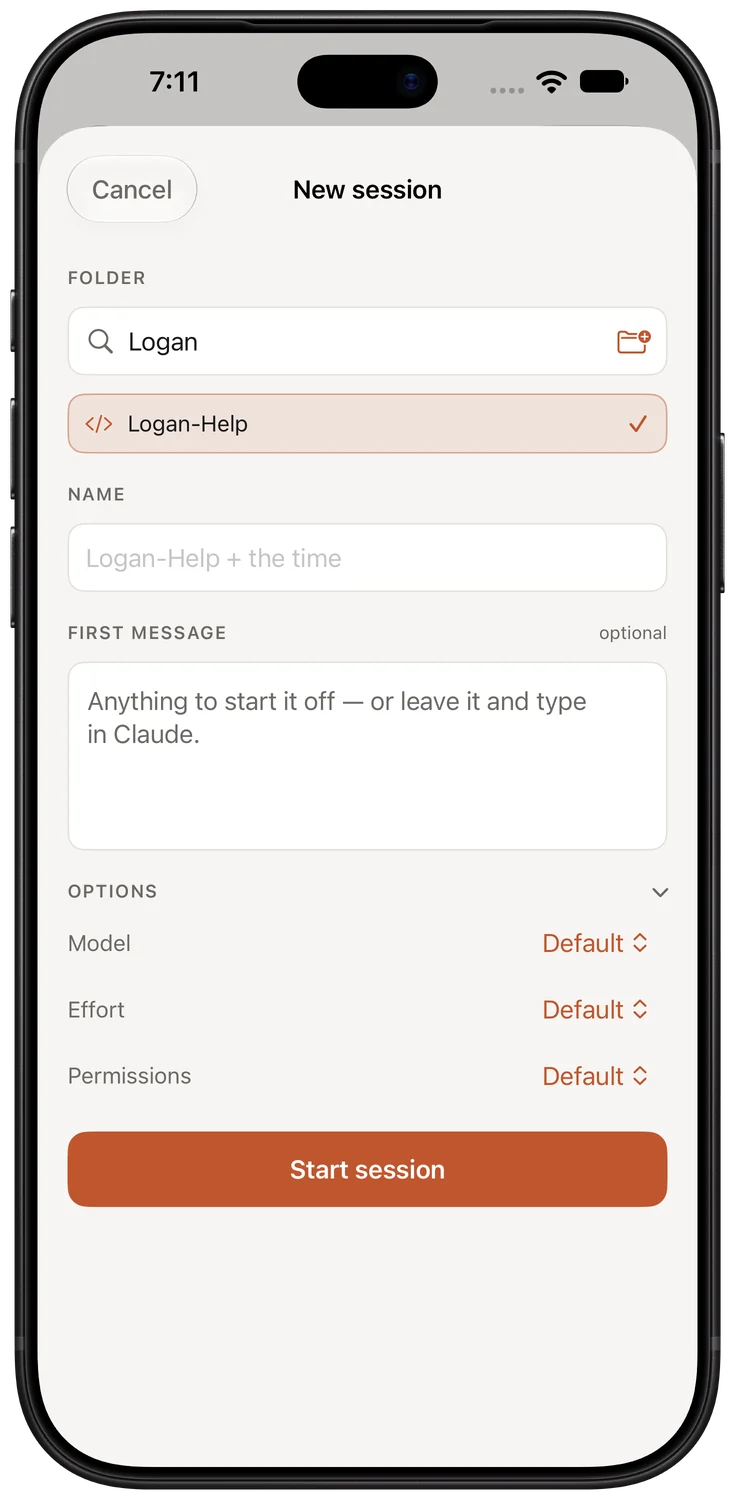
Tap once. The Mac starts Claude Code in my projects folder with Remote Control on, waits for it to register, and hands the phone a link. Folder, name, first message, model and permissions are all available, but none of them are in the way.
Named by Claude, not by me
Claude Code names its own sessions and keeps renaming them as the conversation develops. The app reads that name straight from the transcript and invents nothing, so a session really called "Time Machine backup failures" shows up that way.
Brings back what died
Sessions it started that are no longer running show up under "stopped since you last looked", with one tap to put them all back. That is the "Claude restarted and took everything with it" case, and it is the reason the app exists.
New project from the phone
If the folder doesn't exist yet, the app creates it. "I have an idea" no longer starts with "I need to be at the Mac to make a directory".
Two Macs, one phone
The phone holds more than one Mac. Tap the name in the title to switch or add another. When the Mac on screen can't be reached and the other one answers, the app offers it rather than silently switching, so I always know which machine I'm talking to.
Siri and the Action button
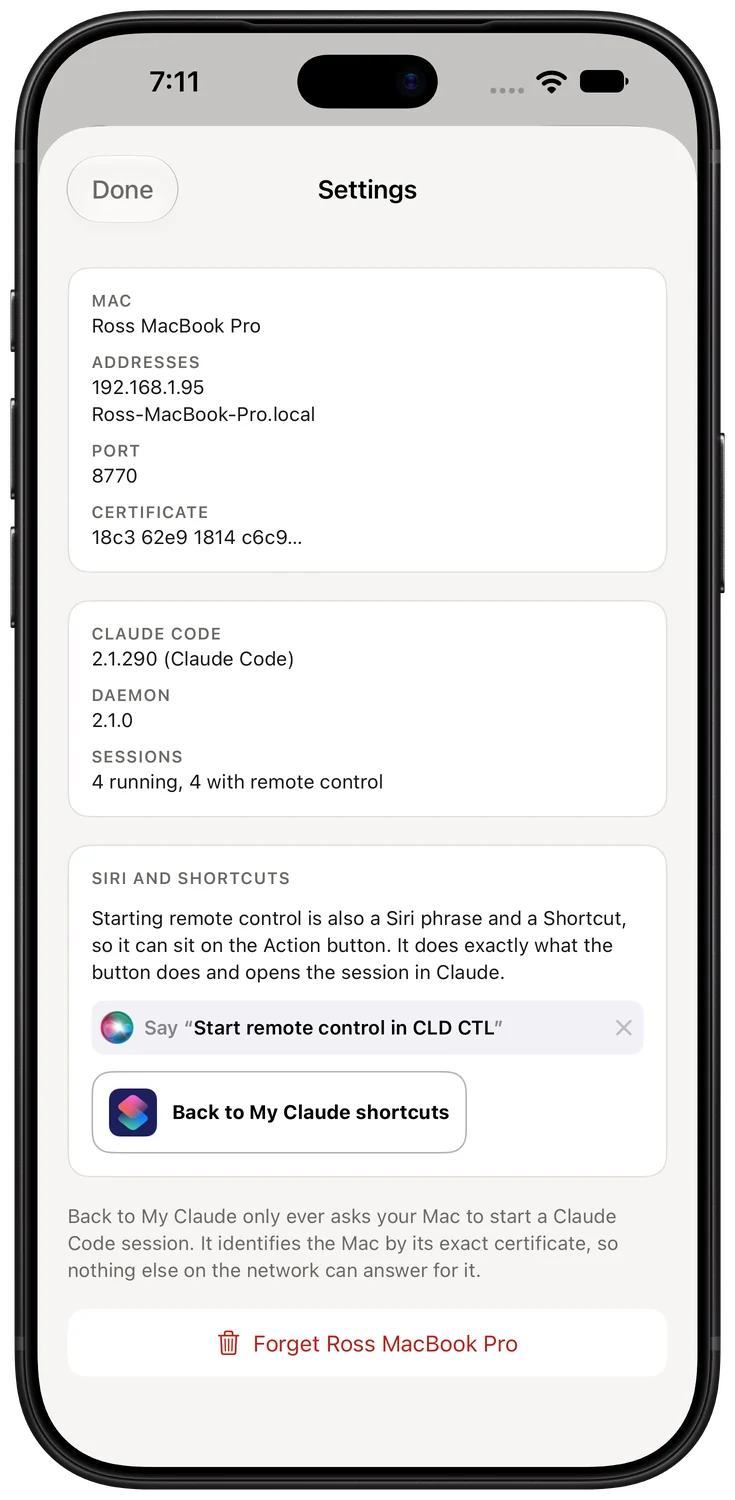
"Hey Siri, start remote control in Back to My Claude" does exactly what the button does and then opens the session. The same action is a Shortcut, so it sits on the Action button and runs without opening the app.
Shape
Three small parts, and nothing in the cloud.
The iPhone app
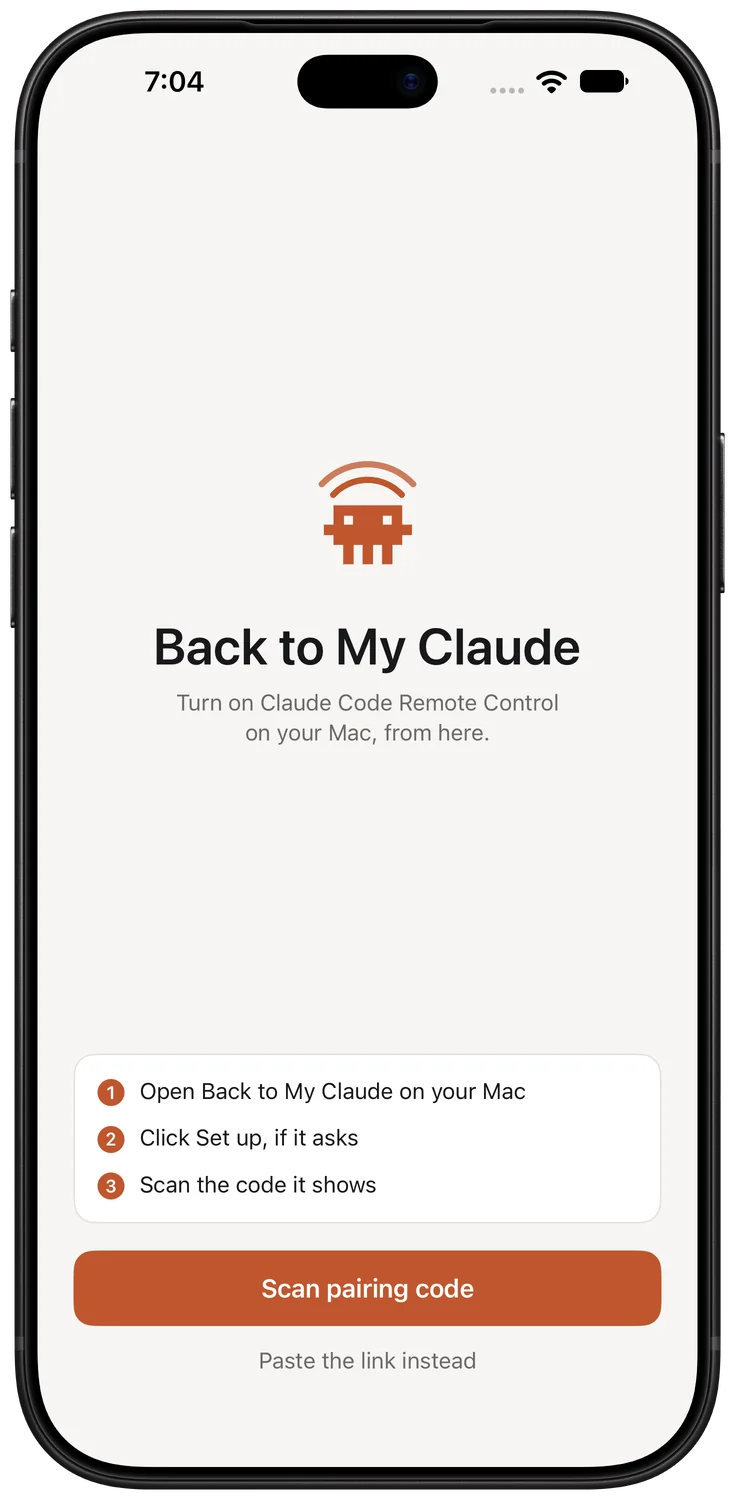
SwiftUI, no third-party code, no account, no analytics. It talks to the Mac directly over the home network and keeps its credentials in the iPhone keychain. The home screen calls it CLD CTL, because the full name doesn't fit under an icon.
A background service
A native Swift service, under half a megabyte, that starts at login and comes back on its own if it dies. It reads Claude Code's own session registry to see what is running, and starts new sessions through a tiny helper that owns each session's terminal.
A control panel
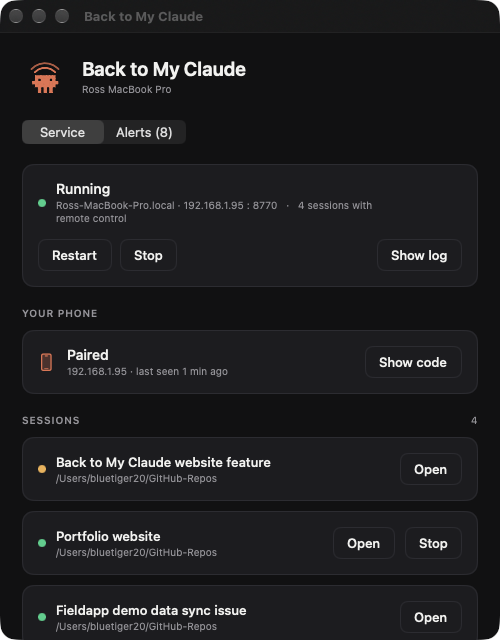
A small Mac app with a menu bar item: set up, pair, start or stop the service, see the sessions. It is a control panel rather than an owner. Quitting it, or even uninstalling it, stops nothing, because the service and the sessions outlive it.
The one decision everything else hangs on: the service never holds a session's terminal. Each session's terminal belongs to its own helper process, orphaned on purpose so it has no parent to take it down. Restart the service, update it, replace it, and every running session carries on. That was the exact failure the app was built to end, so it had to be structurally impossible, not just unlikely.
One request to the Mac over an encrypted connection, carrying the folder, and optionally a name, a first message and the permission mode.
Only folders under an allowed root, never a privacy-protected one like Desktop or Documents. If the folder has never been trusted, the phone is asked, with the path shown, rather than the service deciding on its own.
With a real terminal, because Remote Control needs one. The helper answers the startup prompts, strips the environment markers that would otherwise stop the transcript being saved, and then simply keeps the terminal alive.
The service watches Claude Code's own session file for the new entry with a remote-control id, and sends the phone the link. No scraping of terminal output, no guessing.
Security
A remote start button deserves some paranoia.
The phone can tell the Mac to run a coding agent in a folder of its choosing. That is a lot of power for one tap, so the whole thing is designed around who is allowed to press it and what the press can reach.
Paired once, by QR code
The Mac shows a code; the phone scans it. The code carries a random 256-bit token that the Mac keeps only as a hash and the phone keeps in its keychain. Eight bad tokens from one address and that address is locked out for a while.
The exact certificate, or nothing
The connection is encrypted with a certificate the Mac issued itself, and the phone pins its fingerprint from the pairing code. Instead of asking "does some authority vouch for this?", the phone asks "is this the exact certificate I paired with?". Nothing else on the network can answer for the Mac.
Home network only, on purpose
The service is never exposed to the internet. Away from home, my phone joins the home network through my router's own VPN, which is a far smaller surface than an open port. When the Mac can't be reached, the app says so plainly instead of pretending.
Narrow by construction
The service only opens folders under roots it was configured with, resolved through symlinks. It never invokes a shell: every launch is a fixed list of arguments. It asks for no Accessibility, Automation or Full Disk Access permission to do its job, and trusting a new folder is a decision made on the phone, with the path shown.
Decisions
Small app, strong opinions.
Most of what makes this pleasant to use is what it refuses to do. These are the calls that cost real time to get right.
- Nothing ever restarts on its own. After a reboot the sessions are gone and the app offers to bring them back; it never does it for me. An AI session that resumes by itself spends money on work nobody asked for.
- The button points at one folder, pinned, not "last used". A button that quietly changes what it does is worse than one that always does the same thing.
- Sessions are tracked by Claude Code's own session id, never by process id. After a reboot, process ids start low and get reused, and a record keyed on one will happily claim an unrelated process as a long-dead session.
- The button says "Done", not "Stop", and asks first. "Stop" describes what happens to the process. "Done" describes what I mean, and that difference decides whether the app should later offer to put the session back. The confirmation is one sentence; every longer draft was true and every one got in the way.
- Every session carries a standing instruction. Because sessions are never resurrected, anything a session works out has to land in the project's own documentation, not just in that conversation. Continuity lives in the repository, not in the chat.
- Never report a failure while something is still working. A first-run setup used to flash "couldn't connect" for a second on the way up. Now there is a starting state with a grace period, and errors are hidden while an action is in flight.
- It only became native when it had to. The service started life as a Python script, which meant a clean Mac could not run it at all: macOS ships no Python. Rewritten in Swift it is two tiny binaries with nothing to install, and the app ships them inside itself.
Claude and Claude Code are products of Anthropic. Back to My Claude is my own personal tool, is not affiliated with or endorsed by Anthropic, and is not available to download. If you'd like something built for your own devices the same way, the contact page is the place to start.