Logan Tech Help
Help from Ross, right from your computer.
Hi, I'm Ross. When your computer acts up, you shouldn't have to sit on hold or guess what an error message means. Logan Tech Help is a small app for your Mac or Windows PC that puts me one click away: tell me what's wrong, or let me connect and fix it with you while you watch.
For homes and small businesses. It doesn't matter if we've worked together for years or you just found me today.
Who it's for
Anyone who would rather ask a real person.
Maybe you run a small office and the printer picked the worst possible day to quit. Maybe your laptop has slowed to a crawl, or your email stopped arriving and you can't work out why. Maybe you're a developer stuck on a build error late at night. You don't need to know the right words for the problem. Tell me what you're seeing, in your own words, and I'll take it from there. It's always me on the other end, never a call center.
Three ways I can help
Tell me what's wrong, let me take a look, or let me run a quick check.
Send Ross what's wrong
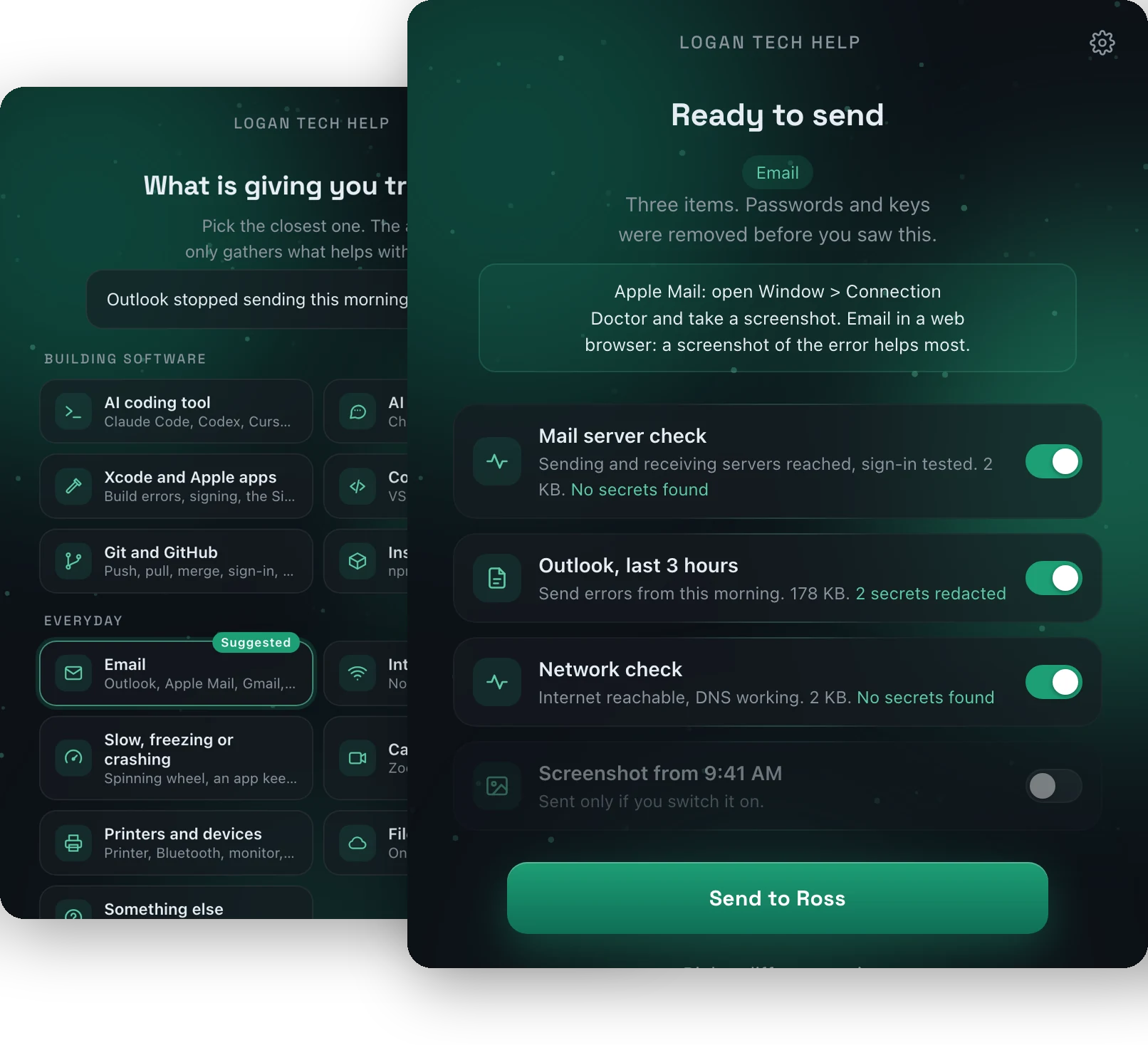
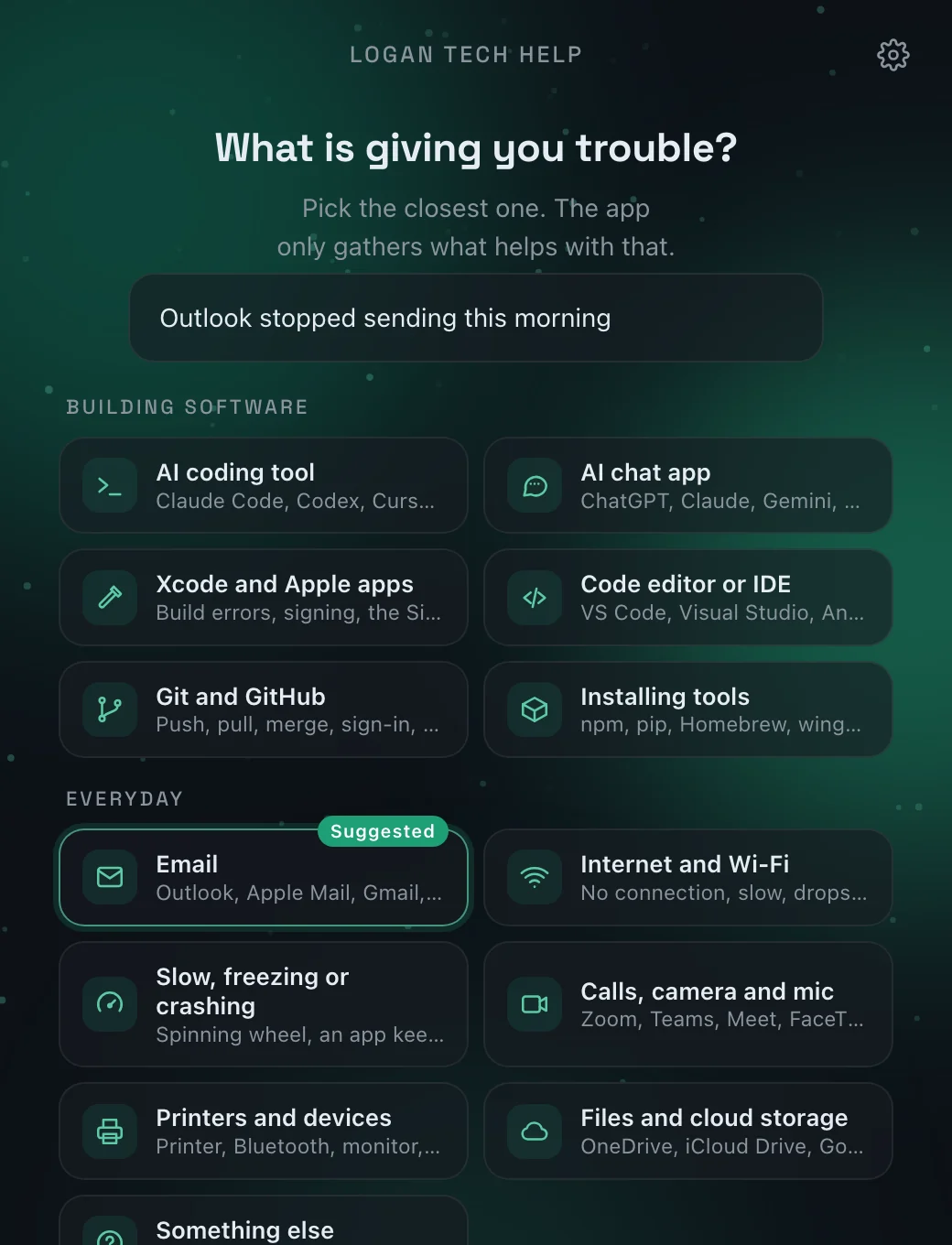
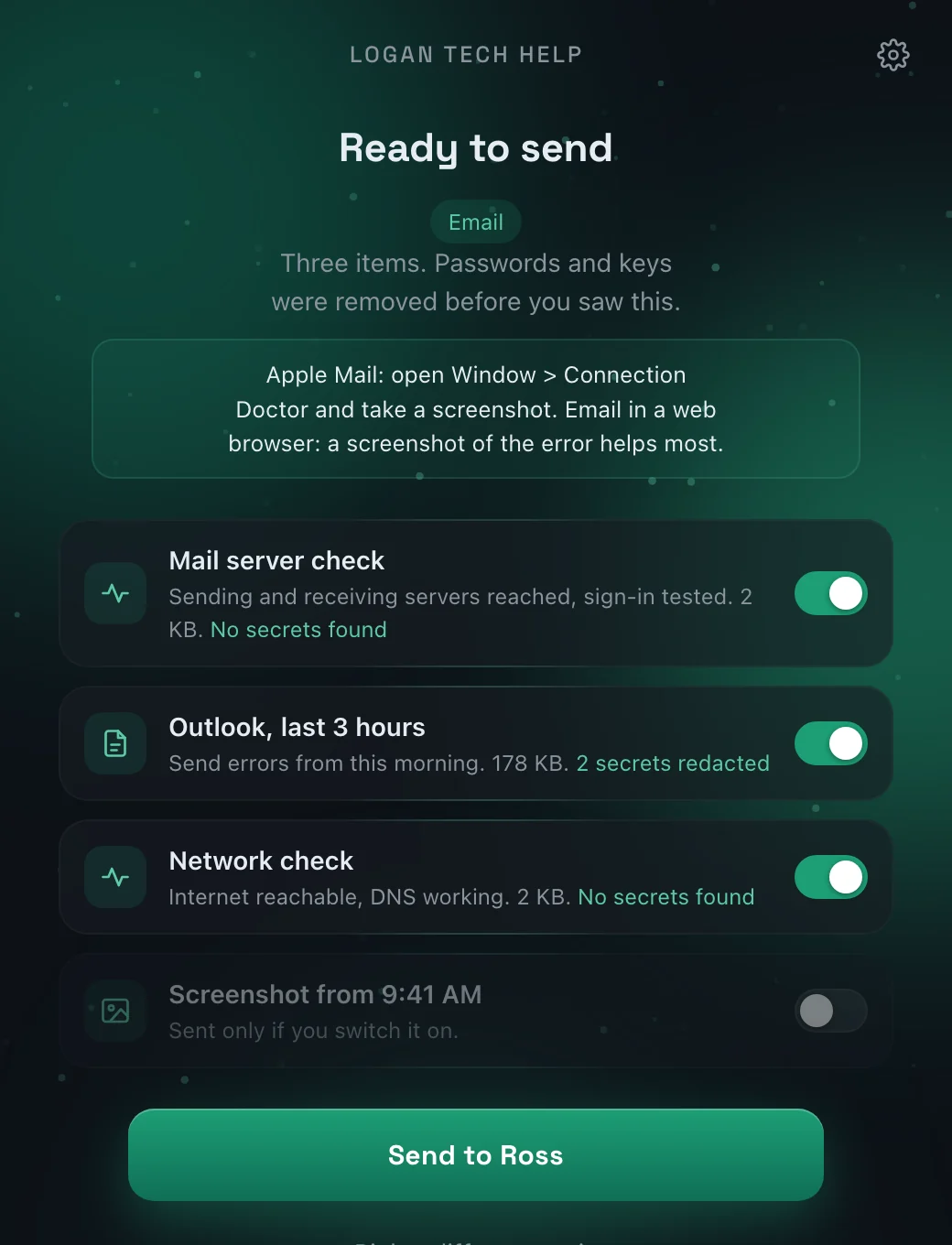
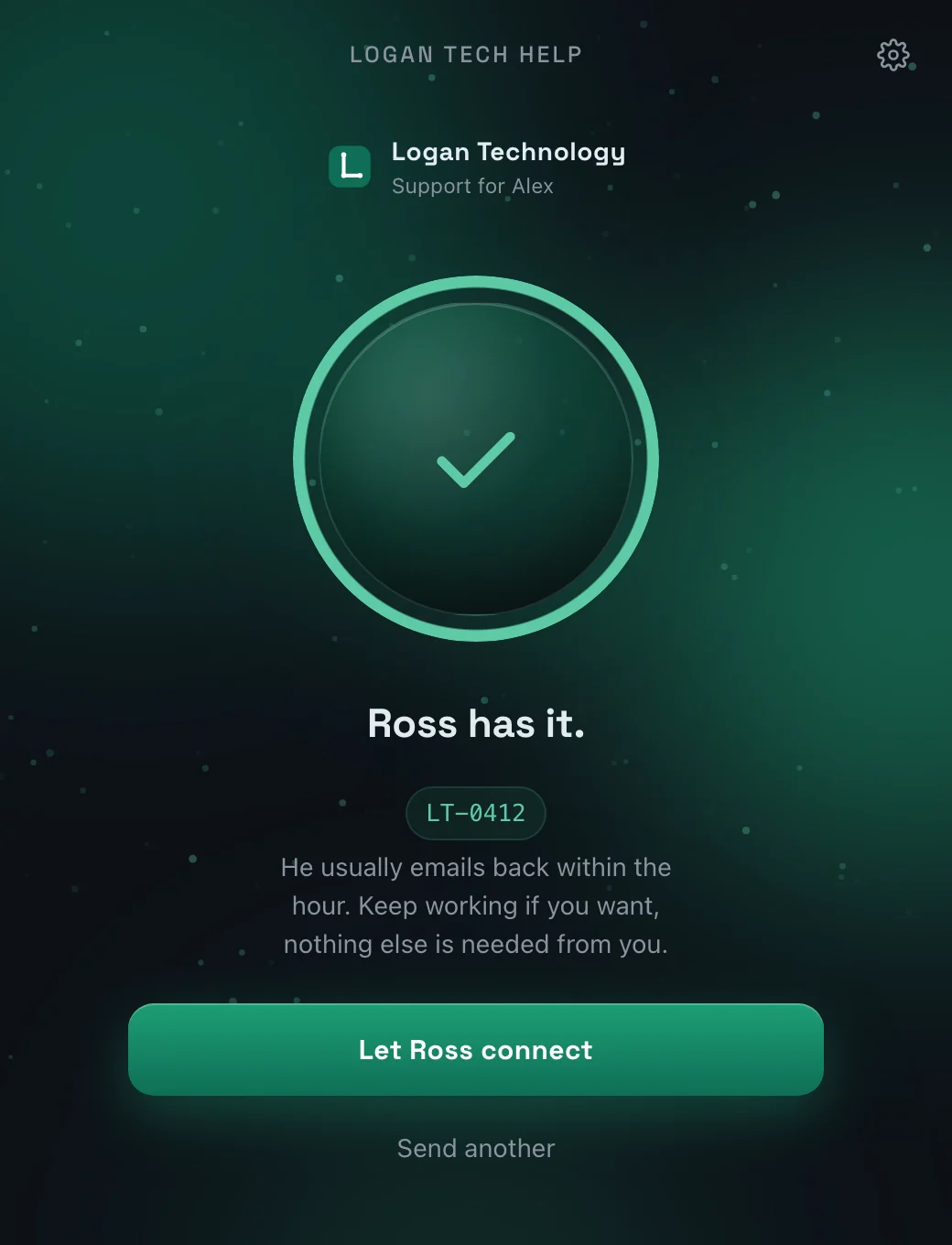
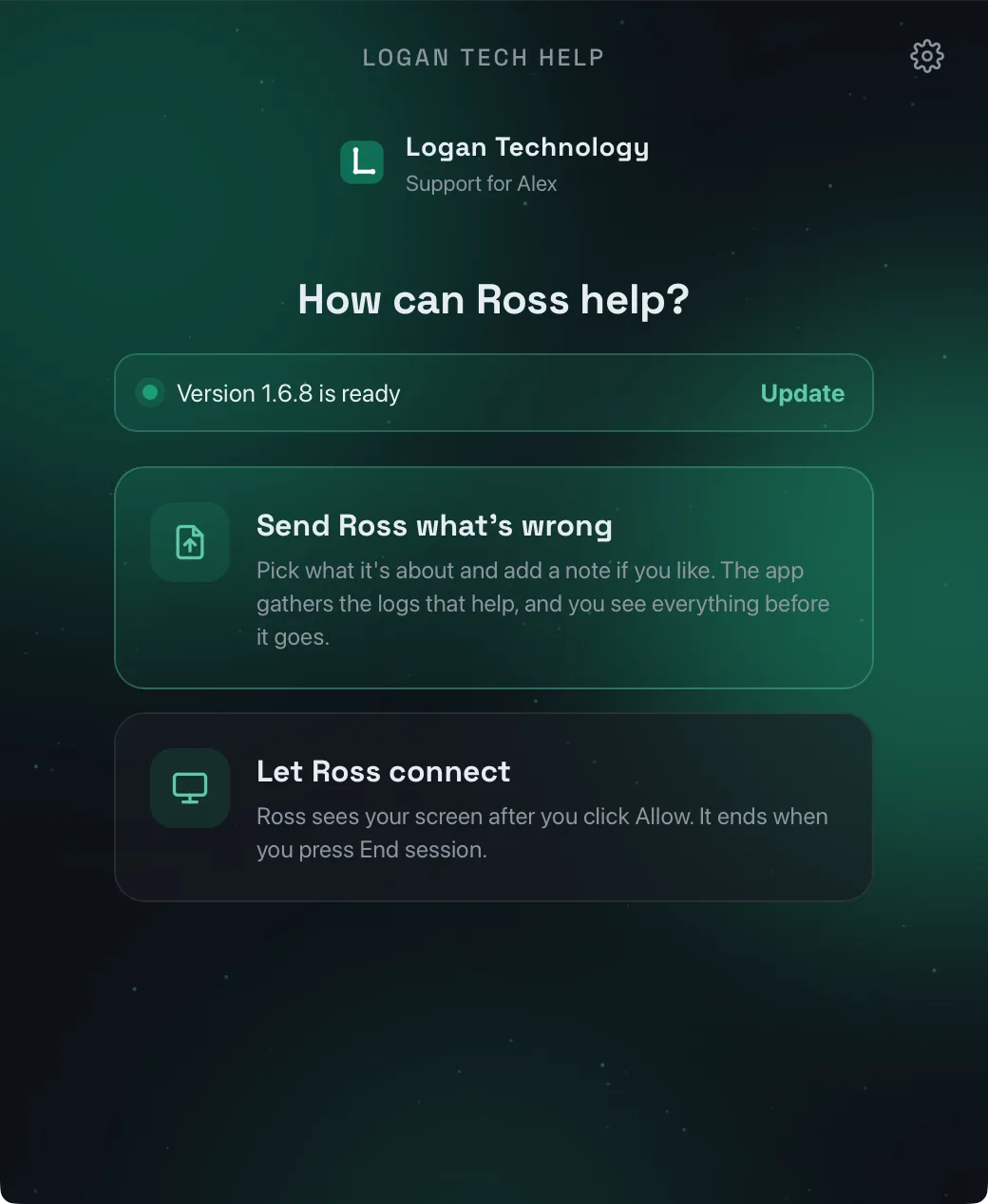
Pick what the trouble is about and, if you like, add a note in your own words. The app gathers just the details that help with that problem, shows you all of it, and sends it only when you say so. I usually reply within the hour.
- Thirteen topics, from email and Wi-Fi to Xcode and AI coding tools
- Passwords and keys removed before you even see the list
- Every item has a switch, so you decide what goes
Let Ross connect
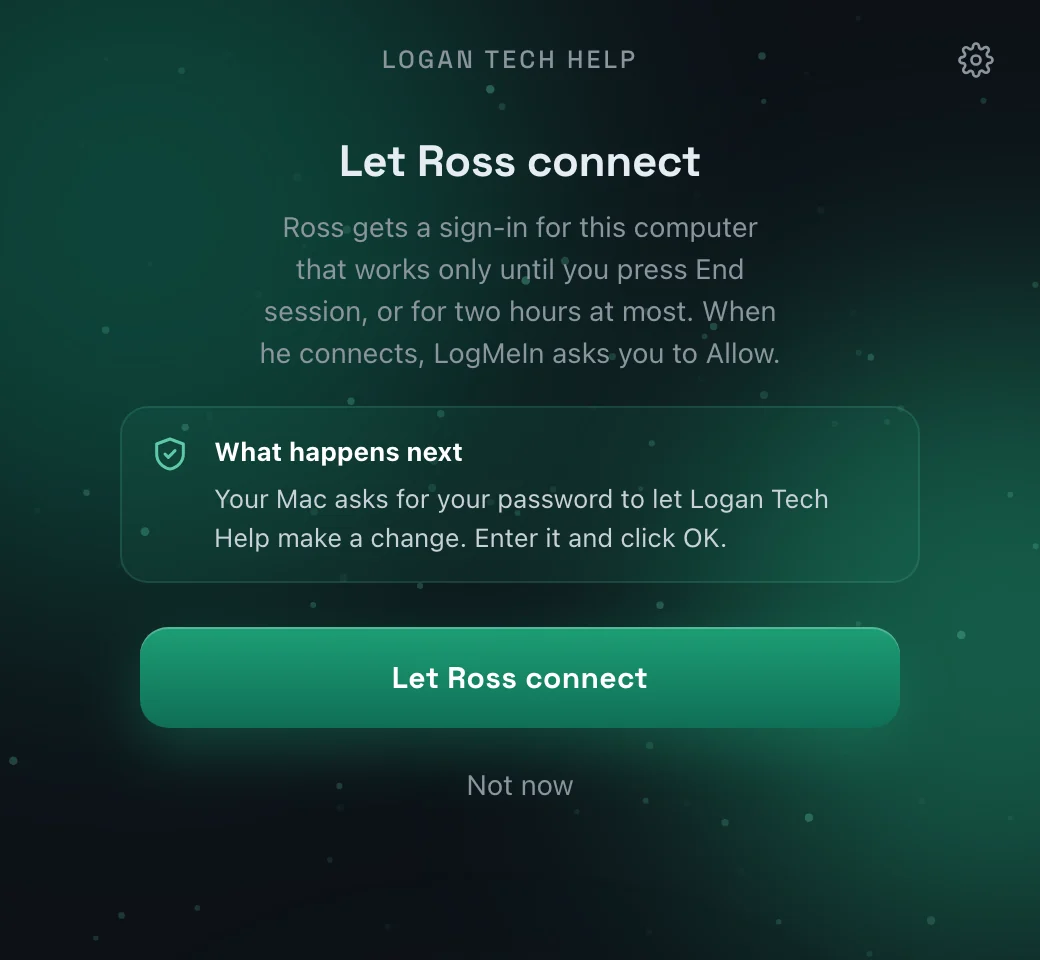
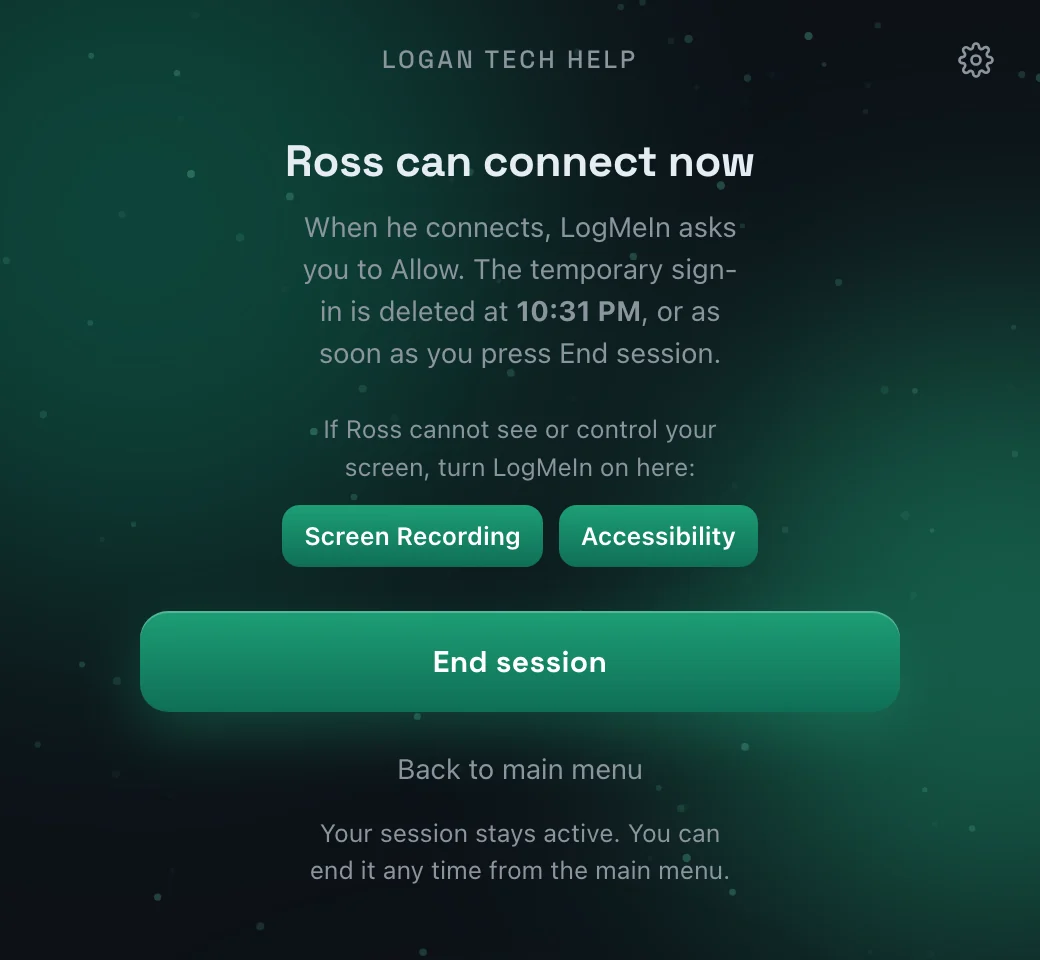
Sometimes it's easier to show me than to explain. Press Let Ross connect and I'll see your screen and fix things while you watch, so you can ask questions as we go. You can end the session whenever you like.
- Nothing happens until you press the button
- You approve each connection on your own screen
- End session closes it, and access ends with it
Run a quick check for Ross
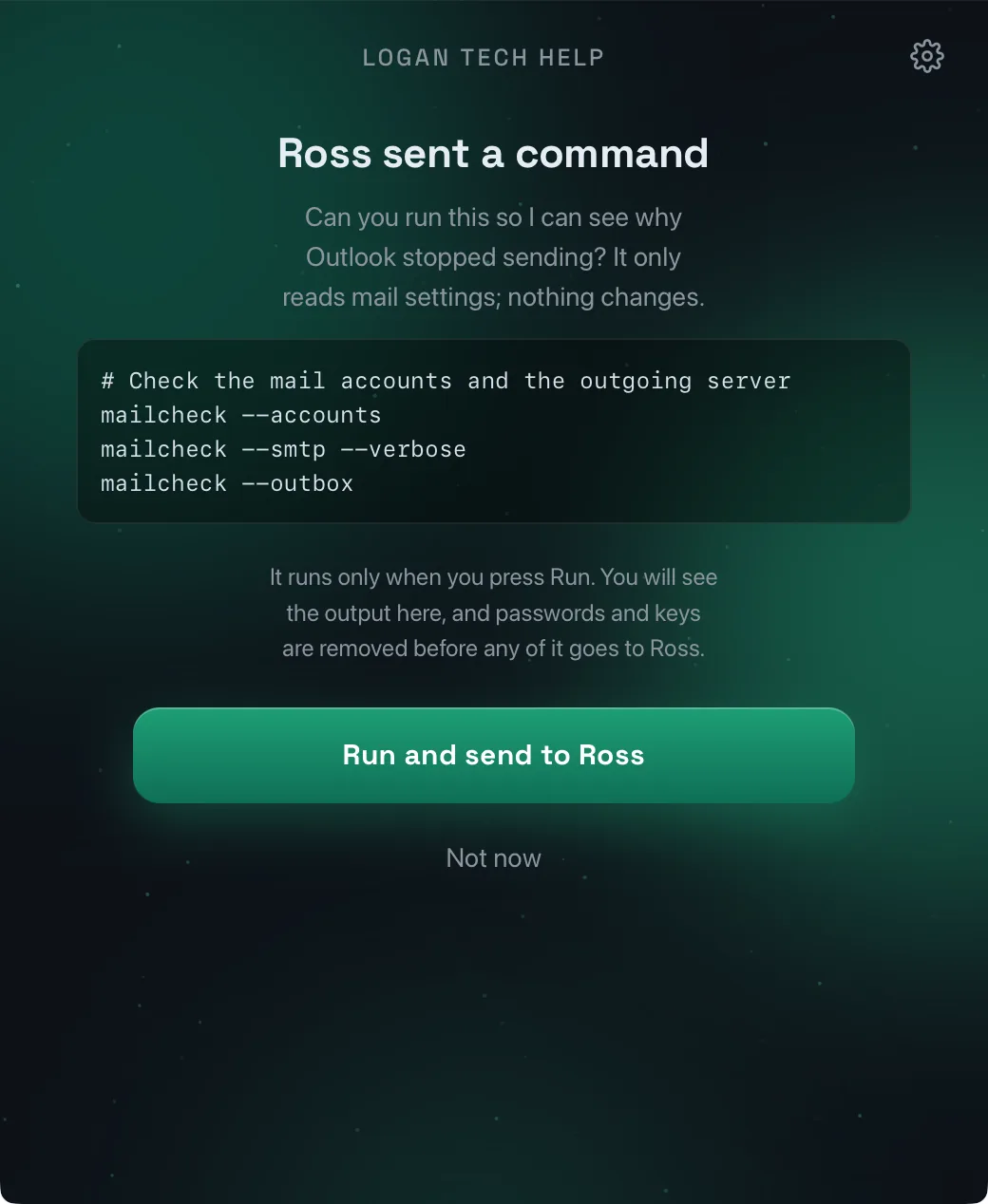
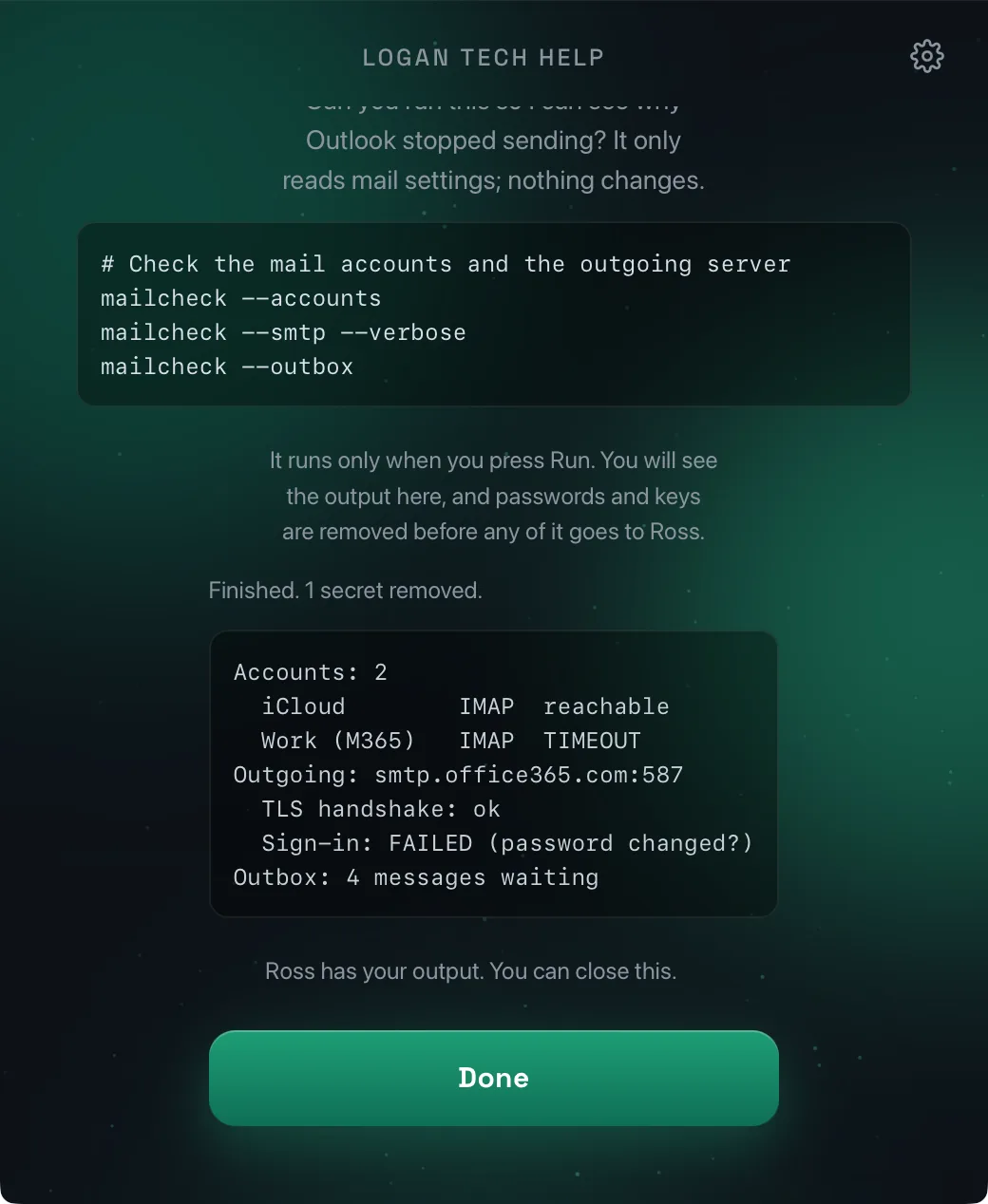
Sometimes I just need to peek at one more thing, and it isn't worth taking over your screen for it. So I can send a quick check to your app. You'll see, in plain words, what it's going to look at. Nothing happens until you press Run, and whatever it finds goes straight to me. If your computer wants your OK first, it asks you the same way it always does.
- You see what it will do before it does anything
- It only accepts checks that come from me, nobody else
- Your passwords are taken out before anything is sent
Nothing to remember
It keeps itself up to date.
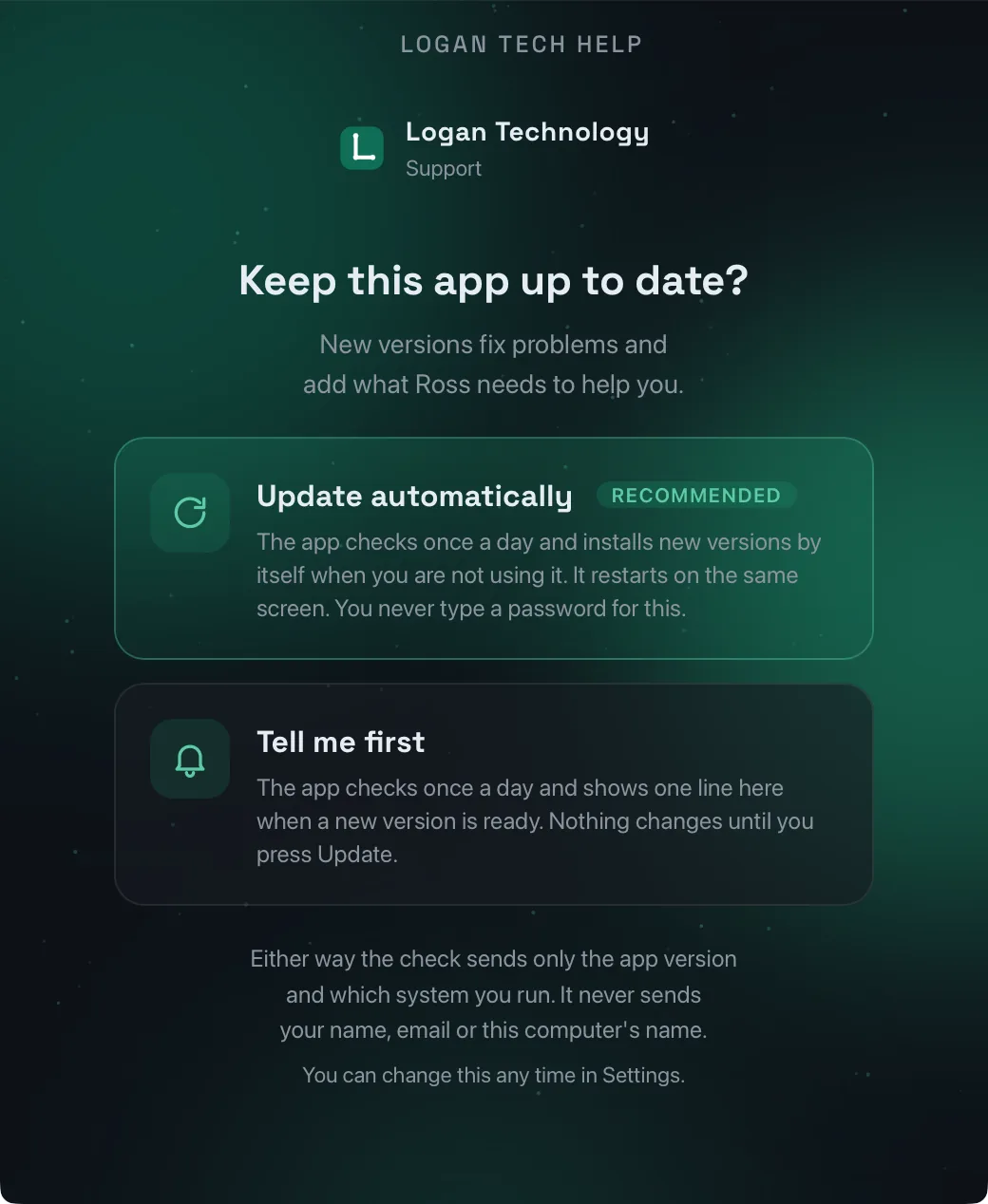
The first time you open the app, it asks one simple question: is it OK to keep itself up to date? Say yes, and new versions arrive on their own while you're not using it, with nothing for you to do. Prefer to be asked? Then it just shows one line when something new is ready, and waits for you to press Update. Either way, you will never be asked for a password.
- Every update comes from me, and the app double-checks that before it installs
- If a new version doesn't work, the app goes back to the old one on its own
- Checking for updates never sends your name or anything about you
What it can help with
From a stubborn build to a printer that won't print.
Building software
- AI coding tools Claude Code, Codex, Cursor, Copilot, Gemini CLI
- AI chat apps ChatGPT, Claude, Gemini, Copilot
- Xcode build errors, signing, the Simulator (Mac)
- Code editors VS Code, Visual Studio, Android Studio, JetBrains
- Git and GitHub push, pull, sign-in, SSH keys
- Installing tools npm, pip, Homebrew, winget, Docker, "command not found"
Everyday
- Email Outlook, Apple Mail, Gmail, not sending or receiving
- Internet and Wi-Fi no connection, slow, drops out, VPN
- Slow, freezing or crashing spinning wheel, apps quitting, out of space
- Calls, camera and mic Zoom, Teams, Meet, FaceTime
- Printers and devices printers, Bluetooth, monitors, USB
- Files and cloud storage OneDrive, iCloud Drive, Google Drive
Don't see your problem here? Pick "Something else," add a screenshot if you can, and I'll take a look.
Built to be trusted
You stay in control.
Letting someone into your computer is a big deal, and I treat it that way. Here's how it stays yours.
You see it first
Nothing is sent until you have looked at it and pressed Send.
Private by design
Encrypted on your computer so only I can read it, and deleted after five days.
Your screen, your call
I connect only when you ask, you approve it on screen, and you can end it any time.
Signed and verified
Signed by Logan Technology LLC on Windows and notarized by Apple on Mac. Every update is checked the same way before it installs.
The details are in the Privacy Notice, the Terms of Use and the Remote Support Terms. For the technically curious: how it's built.
Get started
Set it up once, and I'm there whenever you need me.
Register
First time here? No problem. I look over each sign-up myself, so please use an email you check and I'll be in touch.
Remote sessions have their own Remote Support Terms, accepted in the app before the first one.
Thanks! You're on the list
I look over each sign-up myself, usually within the hour, and I'll email your download links once you're approved. Go ahead and install the app now; it connects to me once you're approved.
Mac: open the download and drag Logan Tech Help into Applications. Windows: run the installer; it takes a few seconds and needs no administrator password. Either way it starts when you sign in, and you will find it next to the clock.
Windows may double-check a new app the first time. If a blue box appears, click More info, make sure it says Logan Technology LLC, then click Run anyway.
Just your name and email, once. I approve everyone personally, usually within the hour, and send you the download link.
Mac: drag it into Applications. Windows: run the installer, no administrator password needed. It starts when you sign in and waits next to the clock.
Open it, enter your email, and type in the six-digit code I send. That's it. From then on, open it whenever you need me.
Not sure this is right for you, or something didn't work? Just ask me here. I'm happy to help you figure it out.