Apps · Behind the scenes
How Logan Tech Help is built.
Logan Tech Help is the app behind my remote computer help: one button on a customer's Mac or Windows PC, a console on my Mac and iPhone, and a small service between them. I designed it, built it and run it. This page is for the people who want to know what holds it together, because letting someone into your computer is a trust decision, and trust should be checkable.
The details below describe what the system guarantees and the standard building blocks it uses. It deliberately leaves out the kind of operational specifics that help nobody but an attacker.
Shape
Three small parts, no servers to babysit.
The app
A native desktop app for Mac (Apple silicon and Intel) and Windows, written in Rust with a thin web front end. About twenty megabytes, lives in the menu bar or tray, signed and notarized. It does the gathering, the redaction, the encryption and the signature checks locally, so the service never has to be trusted with any of that.
The service
A serverless API on Cloudflare Workers with its database and object storage. It brokers requests, stores encrypted bundles for a few days, and keeps the small amount of state the console needs. It holds no decryption key and no signing key, so a compromise there cannot read a customer's bundle or ship code to anyone.
The console
A SwiftUI app on my Mac and iPhone. Tickets arrive by push, bundles decrypt on my device, and the actions that need my signature, like sending a command or raising a release, are signed with keys that never leave my hardware.
Principles
Consent first, then cryptography.
Every feature follows the same four rules. If a design couldn't satisfy them, it didn't ship.
Nothing leaves without a press
Diagnostics, a remote session, a command, even an update: each one is shown to the customer and happens only when they act. The app never acts on my behalf without that. Secrets are redacted on the customer's machine before the list is even displayed.
End-to-end encrypted
Bundles and command output are encrypted on the customer's computer to my key, using the age format, before they go anywhere. The service stores ciphertext and deletes it after five days. Only my console can open it.
Signed, or refused
Anything that could make a computer do something carries an Ed25519 signature from a key only I hold: every command block, every release manifest. The app verifies offline with a public key baked into the binary, so the service cannot forge either, even if it were taken over.
Access expires by itself
A remote session runs on a temporary account that exists only for that session, with a hard expiry as a backstop. The customer ends it with one button; I can end it from my console; either way the customer's side cleans up even if their app is closed.
Command blocks
One check, shown in full, run on their press.
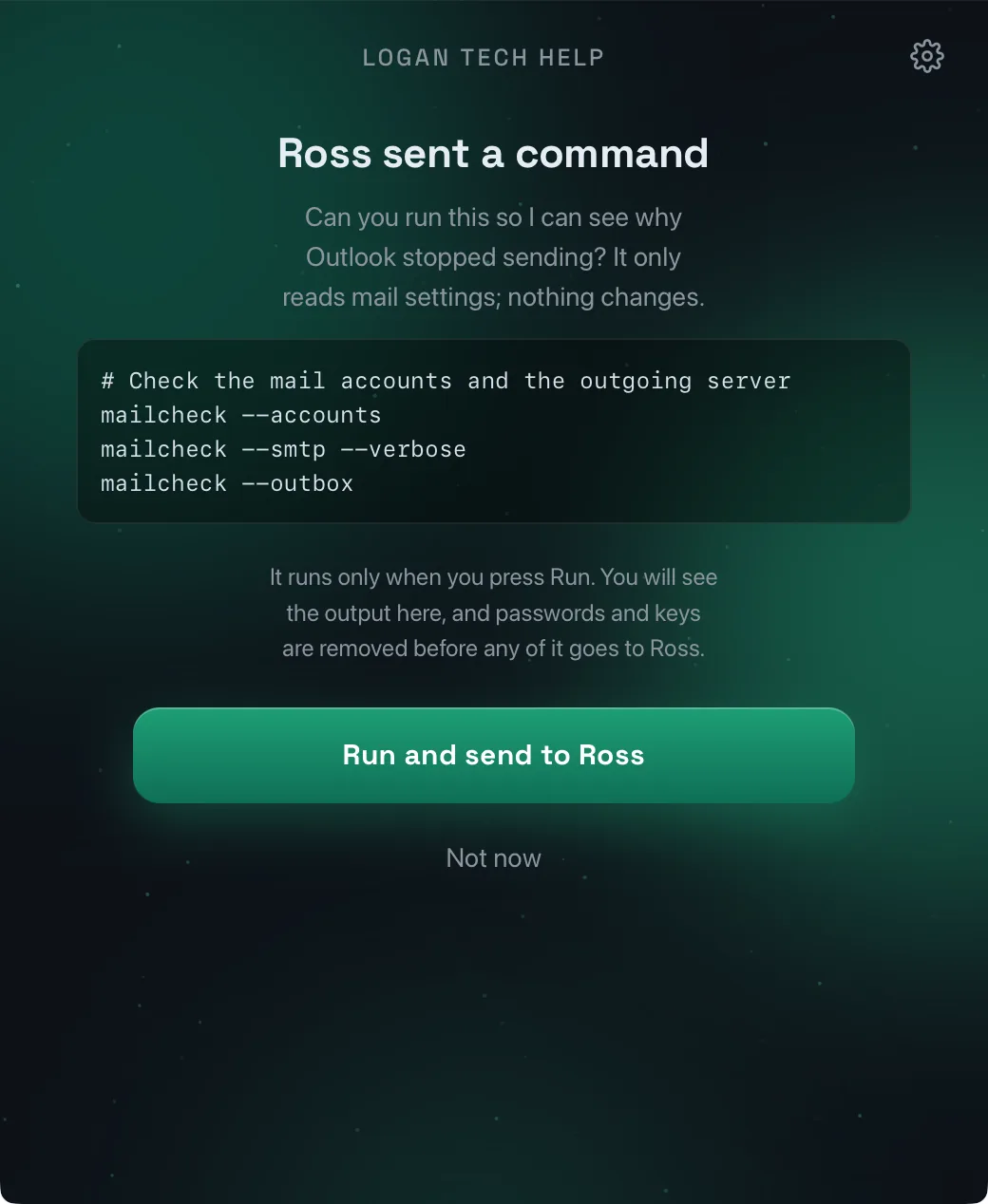
Sometimes a log doesn't say enough and a whole session is overkill. So I can send a short script to a customer's app. It is not a shell; it is a single, signed, expiring request that the customer reads and approves.
The script, a note in plain words, and whether it needs administrator rights. The console signs the whole thing with my key and the request expires on its own if nobody acts.
Signature, expiry, and that the request was addressed to this computer. A request that fails any check is never displayed, let alone run.
If it needs elevated rights, the operating system's own prompt appears, named after the app, exactly as it would for any installer.
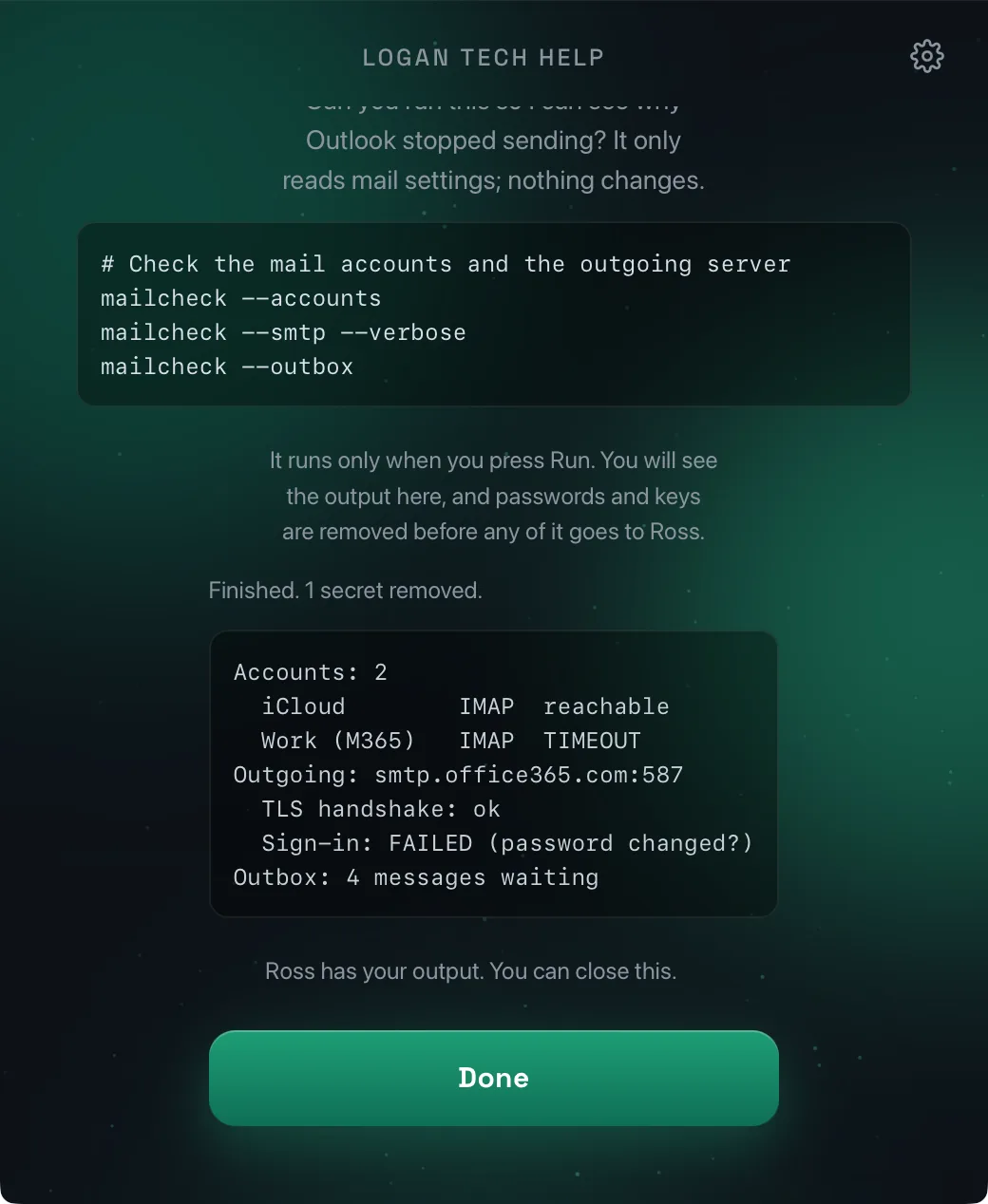
Passwords, tokens and keys are removed before the customer even sees the output, then it is encrypted to my key and lands in my console seconds later.
Updates
Signed twice, staged, and reversible.
An updater is the most dangerous feature an app can have: it is a way to put new code on someone's computer. So it borrows the safety model I built for a fleet of industrial relays, and adds consent on top.
Opt-in, once
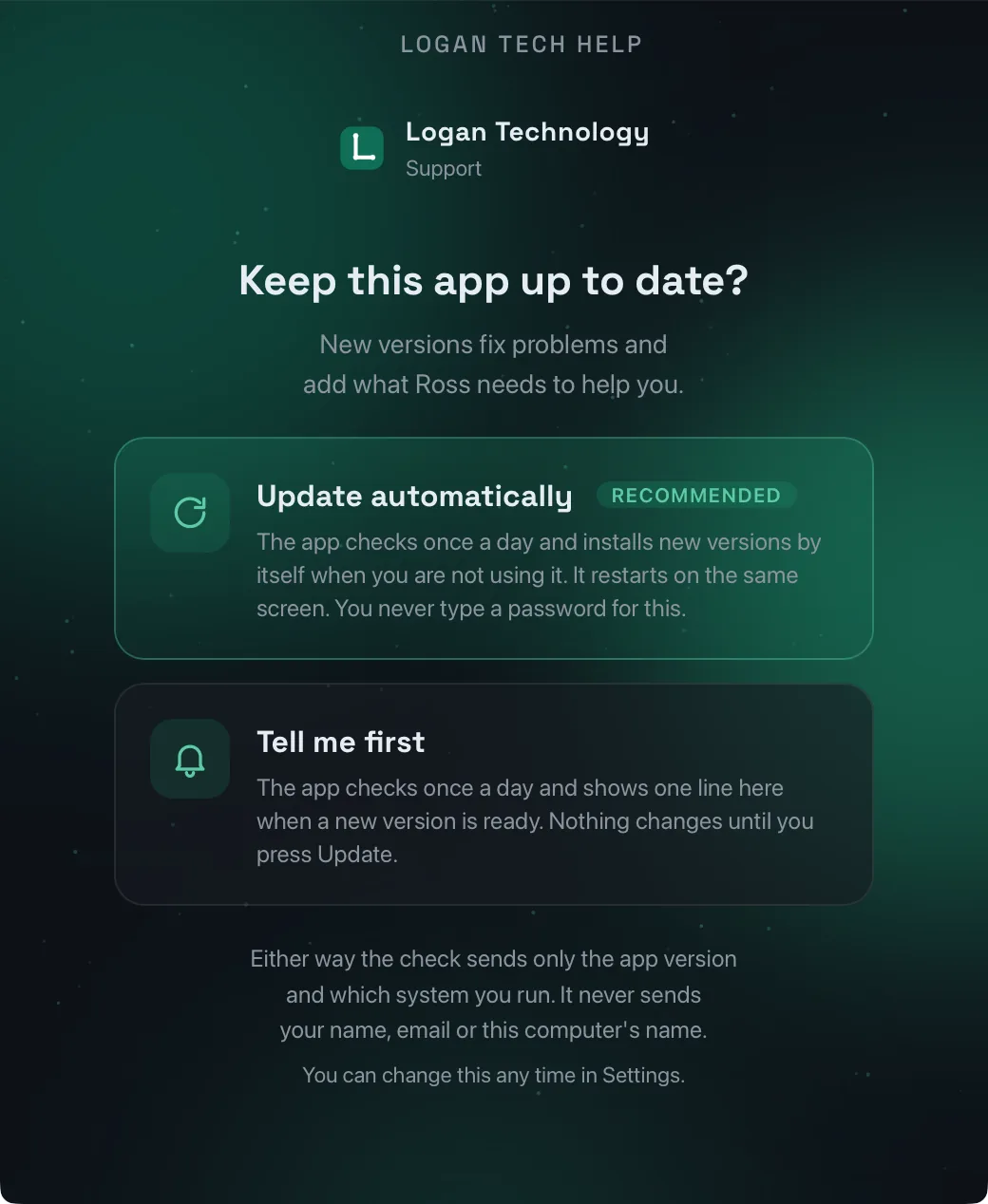
On first run the app asks whether it may keep itself up to date: Automatic, or Tell me first. Whatever the update later needs is settled at that moment, so an update never produces a password prompt weeks later.
Anonymous daily check
The check sends the app version, the platform, and a random number the app drew at install. No account, no name, no computer name. Most days the answer is "nothing new".
Four gates before install
My Ed25519 signature on the release manifest, a hash of the downloaded file, the installer framework's own signature, and the operating system's code signature. All four pass, or nothing is replaced.
Staged, with a kill switch
A release goes out to a percentage of computers first and can be paused in seconds. A broken release is withdrawn by publishing a fixed one above it; nothing is ever downgraded.
Automatic rollback
The previous version is kept until the new one proves it starts. Three failed starts and the app puts the old version back on its own, relaunches, and tells my console, which also stops that version from being offered again.
Stays out of the way
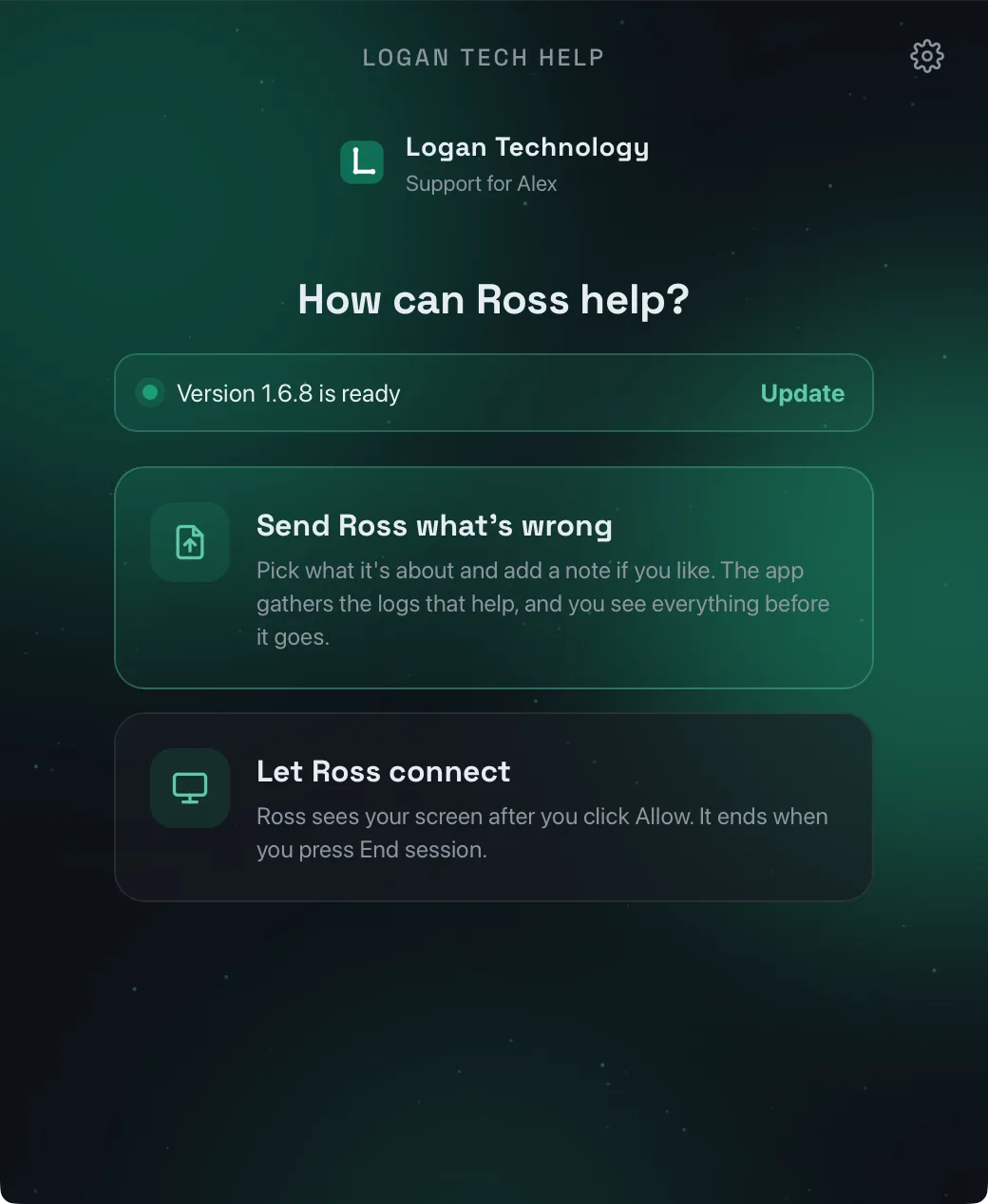
A closed app updates silently in the background and comes back closed. An open one restarts on the same screen. Never during a session, never while something is being sent.
Proof
Every claim above was exercised, not assumed.
Before a release reaches a customer it runs on real Mac and Windows machines I keep for exactly that. The update path was proven end to end, including a deliberately broken release that the apps rolled back on their own, and a hidden app that fetched and installed an update without ever showing a window. Along the way the tests found and fixed real defects, which is the point of running them.
- A web view's idea of "hidden" is not the window's. The scheduler now asks the window itself, and owns the hidden case entirely, so no update ever brings a closed window back.
- On macOS, Quit has no hook. The framework hands Cmd-Q straight to the system, so the app owns its own menu: Quit closes to the menu bar, like the Windows tray, and only the menu bar item really quits.
- A process that restores the old version must not die first. The relaunch after a rollback now waits for its handoff, because the system reaps a launched app's whole process group the instant it exits.
- A failed update must consume the request that caused it. Otherwise an automatic app will dutifully fetch the same bad build again a minute after rolling it back.
If you find a security problem in any of this, please tell me through the contact page and I will fix it. Operational specifics such as internal addresses, limits and key handling are intentionally not described here.